
Clarion 08IT · Nissan · Infiniti
Your stock head unit can do more
A modification of the factory Clarion 08IT firmware unlocks the Nissan GT-R multi-function display, adds a tachometer and a voltmeter, and enables cameras at speed and video in motion. No dash removal: a regular USB stick is all it takes.
Sales open soon
In short
- 01
The GT-R MFD
The gauge screen Nissan built for the GT-R with Polyphony Digital is already in your head unit's firmware. Now it opens with a long press of STATUS.
- 02
Nothing comes out
No boards, no wiring, no taking the dash apart. All you need is a 1–8 GB USB stick.
- 03
Back to stock any time
The factory firmware goes back on from the same USB stick if you ever want it.
Everything the firmware does
The core is the same for every car with a Clarion 08IT. Only one thing changes per model: which data to read from the CAN bus and where to find it.
Animation is turned off in your system settings, so stills are shown instead of clips.
GT-R gauges
- Hold STATUS
The GT-R multi-function display
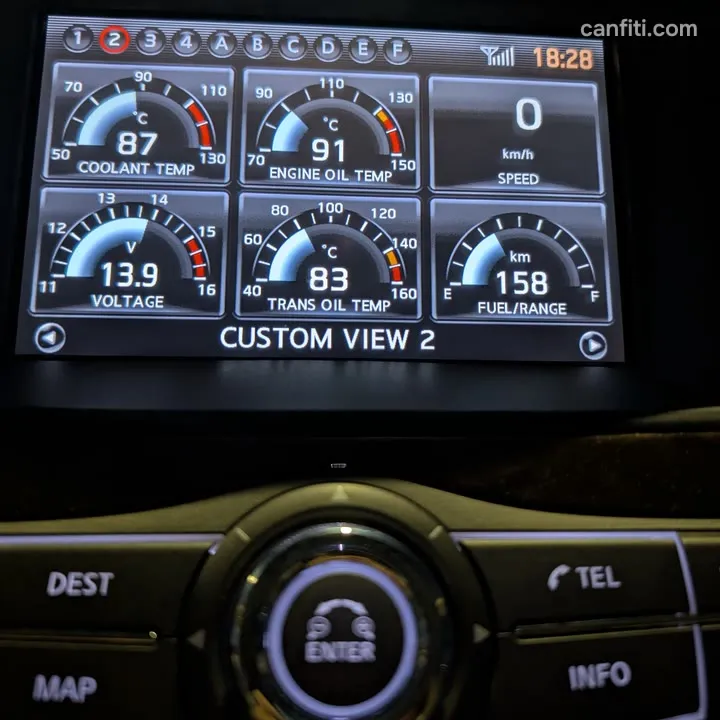
The gauge screen from the Nissan GT-R R35 is in the firmware in full, but on a regular car there is no way to open it. Now there is: long-press STATUS and the gauges come up.
-
Live data from your car
The stock MFD gauges are wired to the CAN bus: fuel level and range, coolant temperature, engine oil temperature (checked against dealer diagnostics) and transmission oil temperature. Fuel economy shows after 20 seconds of driving instead of half a kilometre.
-
Gear and speed
The current gear together with your speed, on the Gear Position screen and in a widget on other screens. Seventh gear shows too.
-
G-forces
Acceleration graphs for launching, braking and cornering, plus pedal and steering position: the stock GT-R screens work on your car.
- ENTER starts and stops
Stopwatch
The GT-R stopwatch screen: start and stop with the ENTER button on the controller.
Custom gauges the GT-R never had
-
Tachometer
A 0–8,000 rpm scale with a red zone from 6,000 and the revs as a number in the centre. You pick it in the MFD menu alongside the stock gauges and it looks native.
-
Voltmeter with decimals
Battery voltage from 11 to 16 V with a red zone above 15 V and the value in the centre, so you can tell 14.4 V from 13.1 V.
Cameras and video
- Hold CAMERA
Cameras at any speed
Hold CAMERA and the rear camera works while you drive. The controller knob cycles through the cameras: rear, left, right, 360° bird's-eye view, front. BACK returns to the previous screen. Requires the factory Around View Monitor; a small service marker from the camera unit stays on the picture.
-
Before After Video in motion
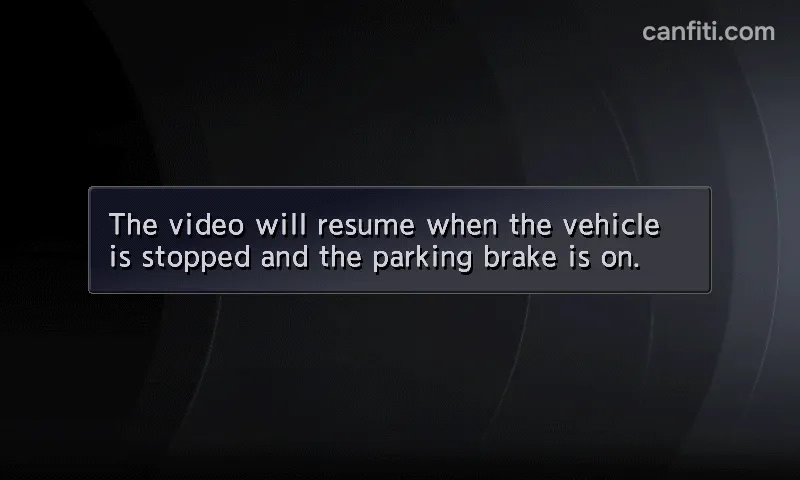
DVDs and movies from a USB stick keep playing on the main screen while the car is moving, not only on the rear monitors. Tested on the road.
Quality of life
-
No more "I agree" screen
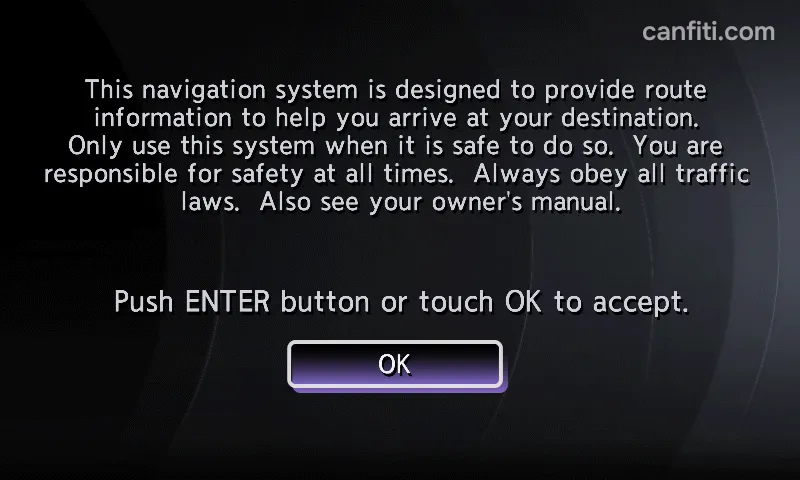
The warning screen stops greeting you every time you start the car.
In development
- In development
Oil pressure on screen
The stock sensor is just a switch for the warning light. A kit with a tee adapter, a pressure sensor and a matchbox-sized box in the under-bonnet fuse box sends readings over Bluetooth: oil pressure appears on the MFD and in the CANFITI app. No wires are cut.
- In development
Screen mirroring from Android
Your Android phone's screen, with navigation and apps, on the stock head unit over a regular USB cable. No extra boxes or adapters.
How it installs
Nothing is removed from the car. A regular USB stick does the whole job.
What you need
- A 1–8 GB USB stick (FAT32)
The CANFITI app and an ELM327 adapter are not needed for installation. You will only need them for some features that are in development now: screen mirroring and setting up the oil pressure sensor.
The factory firmware goes back on the same way, from a USB stick.
- 1
Get the firmware
Once sales open. Everyone who leaves an email will hear from us where and how.
- 2
Copy the file to a USB stick
A 1–8 GB USB stick formatted as FAT32.
- 3
Plug the stick into the car's USB port
The head unit finds the firmware and copies the files. It takes a few minutes; keep the ignition on.
Cars with the Clarion 08IT
Nissan and Infiniti fitted the Clarion 08IT head unit (Xanavi software) to these models. Years are for Russian, European, Australian and Gulf specification cars.
| Model | Chassis | Years with 08IT |
|---|---|---|
| Infiniti QX56 / QX80 Tested on the car | Z62 | 2010–2017 |
| Nissan Patrol | Y62 | 2010–2019 |
| Infiniti FX / QX70 | S51 | 2010–2018 |
| Infiniti EX / QX50 | J50 | 2010–2017 |
| Infiniti G / Q40 / Q60 | V36 | 2010–2015 |
| Infiniti M / Q70 | Y51 | 2010–2017 |
| Infiniti JX / QX60 | L50 | 2012–2017 |
| Nissan Murano | Z51 | 2010–2015 |
| Nissan Pathfinder | R51 / R52 | 2010–2016 |
| Nissan Navara | D40 | 2010–2015 |
| Nissan X-Trail | T31 | 2010–2012 |
| Nissan Teana | J32 | 2011–2013 |
| Nissan GT-R | R35 | 2010–2016 |
| Nissan 370Z | Z34 | 2010–2013 |
The set of live data on the MFD depends on the model: whatever its CAN bus carries is what gets shown. Cameras at speed need the factory Around View Monitor. Trims without navigation usually do not have the 08IT.
Cars for the US and Canada (including the Nissan Armada Y62 2016–2020) run a different firmware version; support is still being confirmed. Send us the version from the Version Information screen and we will tell you. How to find the version
Sales open soon
We will write on launch day
The firmware is ready and tested on an Infiniti QX56. Sales open soon. Leave your email and we will write on launch day; tell us your car model and we will say what will work on it.
An email with the subject filled in will open: add your car model and send it.
Full story and discussion on DRIVE2
Questions and answers
How do I know I have a Clarion 08IT and which firmware version?
08IT or IT08, which is right?
Do I have to remove the head unit or take the dash apart?
Can I go back to the factory firmware?
What do I need for cameras at speed?
Does it work with an external Android Auto or CarPlay box?
Will other Nissan and Infiniti models be supported?
Do I need the CANFITI app or an ELM327 adapter?
Does it work with an iPhone?
Nissan, Infiniti, GT-R, Clarion and Xanavi are trademarks of their owners. This is an independent project not affiliated with Nissan. The camera at speed complements your mirrors, it does not replace them; keep your eyes on the road.
The cartoon in the “Video in motion” clip is Big Buck Bunny, © 2008 Blender Foundation, www.bigbuckbunny.org, licensed under CC BY 3.0.